Blog Post
24/03/2026
•
5 Min. Read
Hello friends of the herd,
Today, we have one major feature and several smaller but important improvements for you:
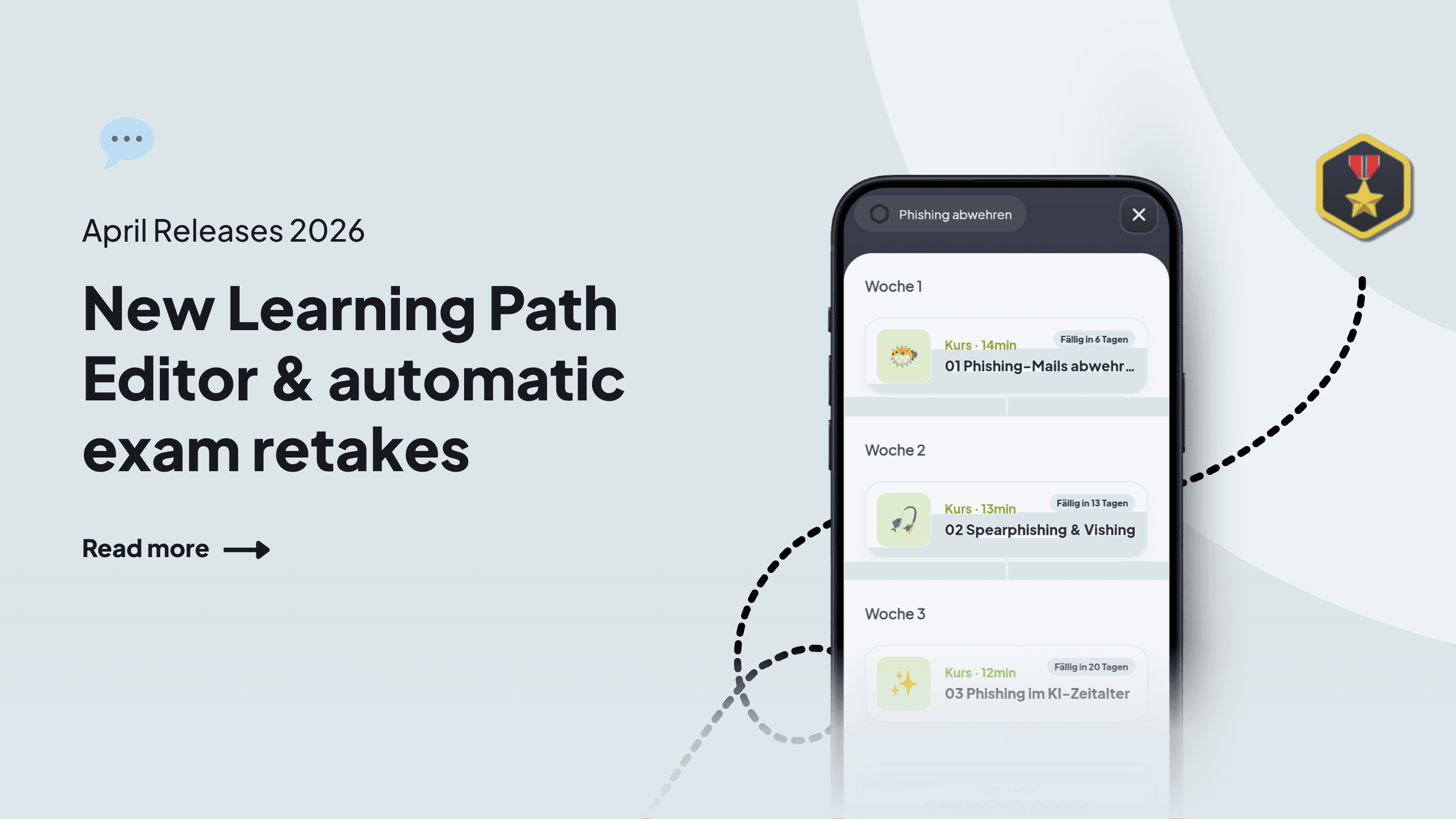
With the new learning path editor, you can create complex learning paths quickly and easily, and Assessments can now be automatically reassigned if they are not passed.
We’re also bringing a webinar with us – for everyone who wants to know how to create courses even more easily with Ellie!
🛤️ New learning path editor: Infinitely flexible, easy to use.
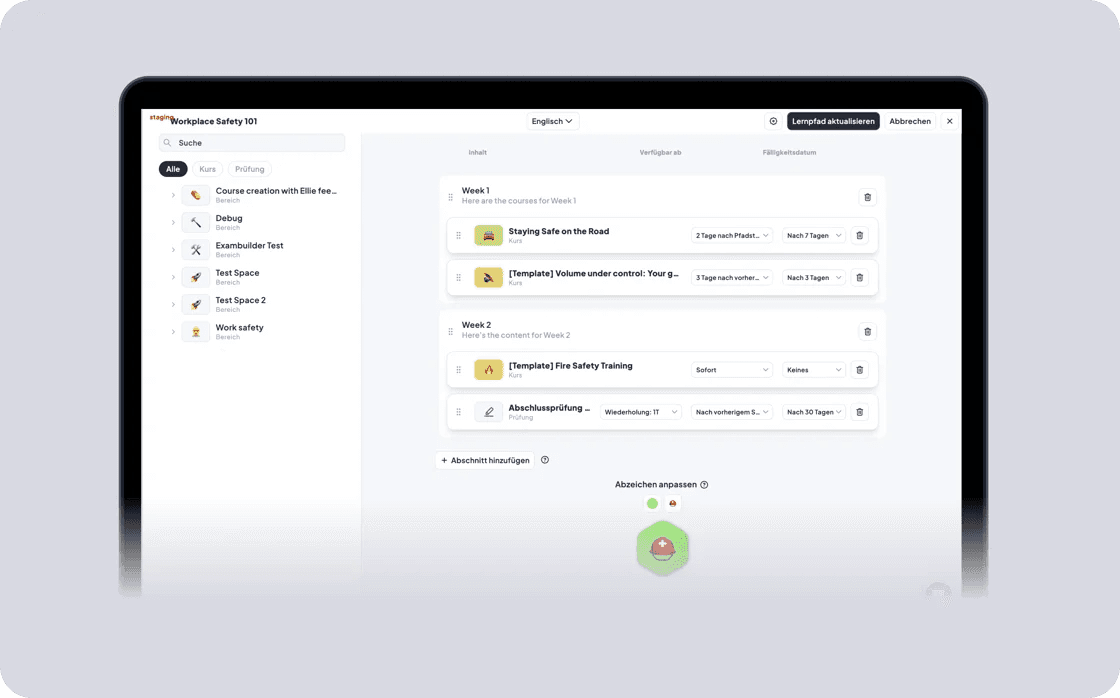
The learning path editor has been completely redesigned and now offers significantly more flexibility for complex learning scenarios. For each piece of content, you can define availability and due dates – relative to the path start or the previous step, with a delay in days.
Availability conditions and due dates per content item
Freely nameable sections to group content into topic blocks
Exams without scheduling directly in the path, with automatic retakes
Custom badge design with colors and emojis
Automatic translation of section and course titles
Perfect for multi-stage onboarding, compliance training, or long-term development programs.
You can find the video here (German).
Note: All existing learning paths have been migrated to the new logic, and all week sections have been converted into sections.
🎉 New look: Updated learning path view for learners
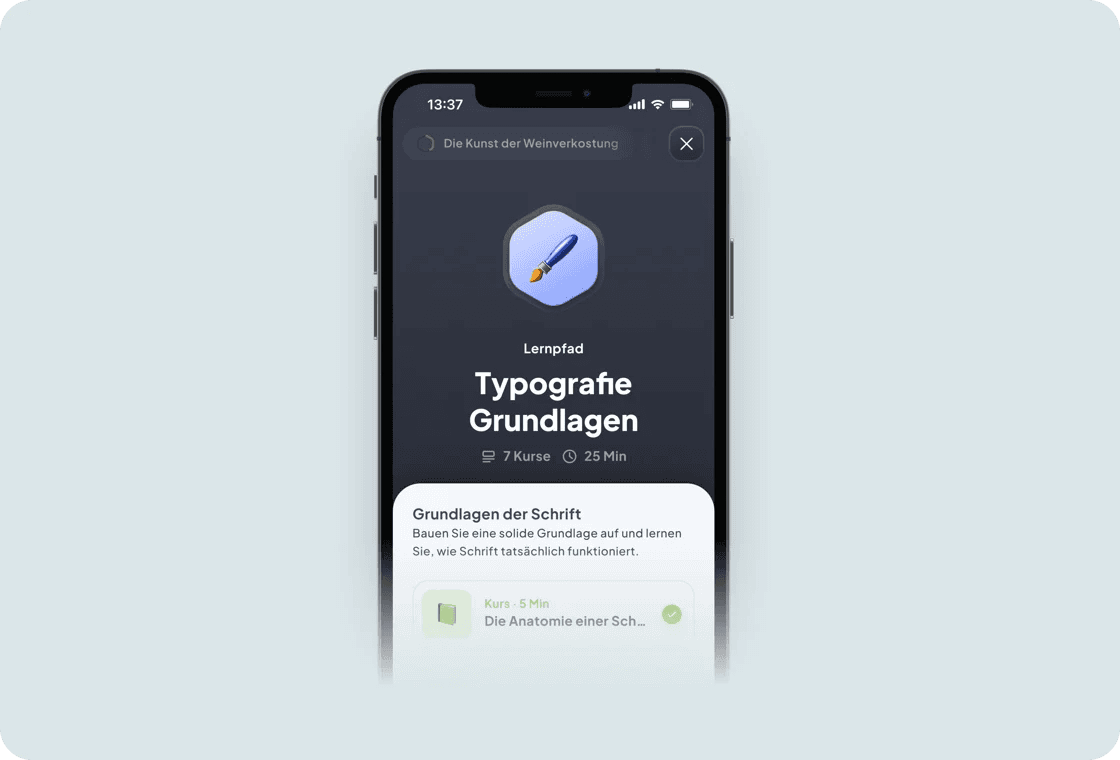
In the app, learning paths are now displayed in a refreshed look – with sections, locked content, and clear unlock conditions.
Sections with titles and descriptions for better structure
Locked courses with hints (e.g. “Complete step 3 to unlock”)
Progress bars and badges for clear orientation
This way, your learners always know what’s coming next. You can find the video here.
🏷️ Improvements to Assessments: automatic reassignment and more!
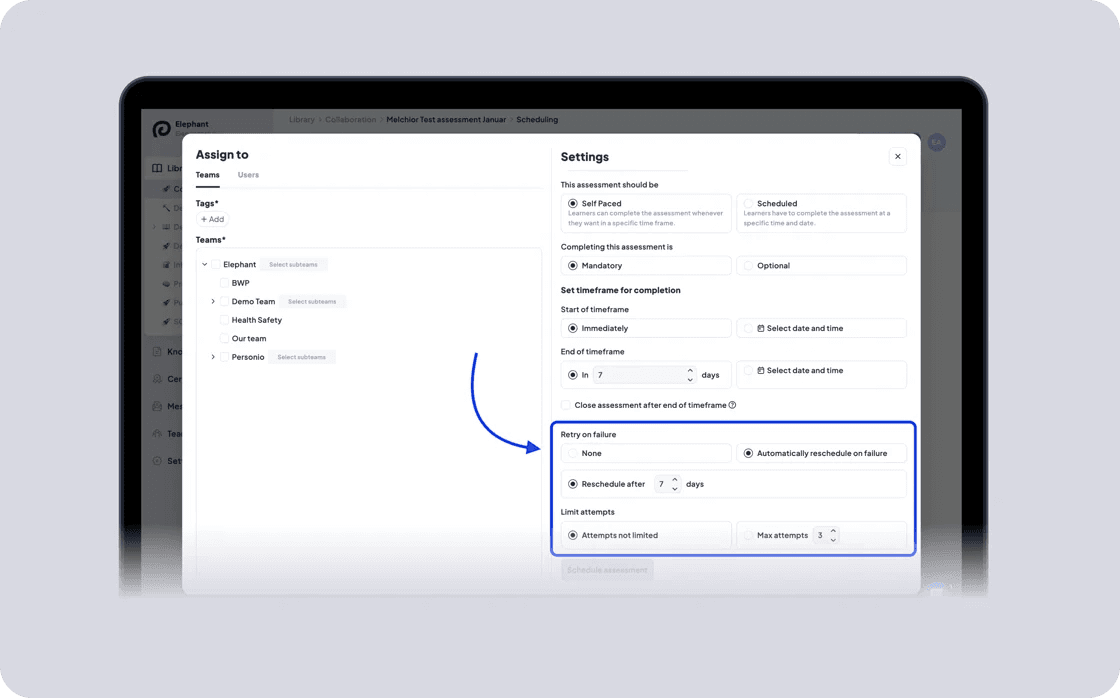
Assessments are now much easier to manage – with less manual effort and more transparency into your learning results.
Automatic reassignment if an assessment is failed, with a freely configurable interval (e.g. after 3 days), including a limit on the maximum number of attempts per learner
Assessments are now available directly within learning paths without additional scheduling
New assessment overview on the learner detail page, showing the number of attempts and passed assessments at a glance
Perfect for scalable training, compliance processes, and any scenario where learners need multiple attempts – without additional admin effort.
What should we write about next?
We're always looking to cover the topics you care about most. Help shape our next issue!
Take a moment to vote and suggest what you'd love to read next:

Read more articles: