
Product Update
11/03/2026
•
5 Min. Read
Release updates:
With new features for Public Link courses, you can now make compliance training or training for partners and service providers easier.
There are also new ways to integrate Elephant more closely into your system landscape with our API.
🔗🎖️ Public links + user data: Trace external course completions and issue certificates

Public links already make it possible to complete courses without a previously created user account. This makes them ideal for external partners, temporary staff or customers without an Elephant account.
We have now expanded the feature even further by allowing user data to be recorded:
An optional form for name and e-mail appears at the end of the course
Details are voluntary
Completions including details can be viewed in the admin area
Export as CSV possible
You can now also issue a certificate to external users.
These updates create additional transparency and documentation security, especially in the compliance area.
API access: flexibly integrate Elephant into your system landscape
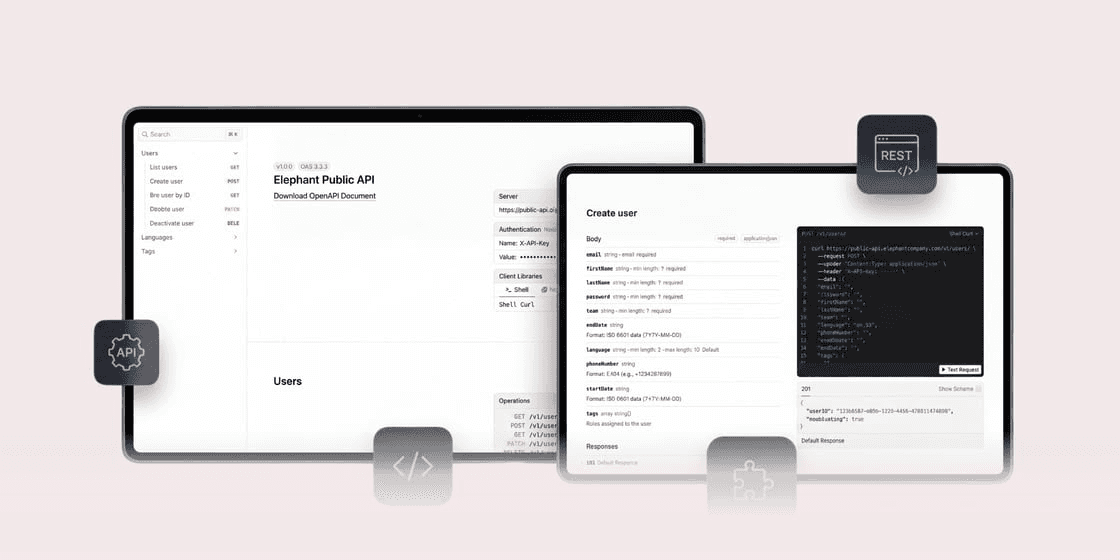
Elephant can now be integrated directly into your existing systems via a public REST API - e.g. HR software, onboarding tools or your own automations.
This allows you to automate many processes:
Automatically create, update or deactivate users
Assign tags and link courses automatically
Manage languages and retrieve user data
Particularly practical: New employees can be automatically created as Elephant users and assigned directly to the appropriate courses.
Do you have use cases that are not covered by the API? We will be happy to help you implement them.
🏷️ Tag groups: Precisely control target groups

Play content even more precisely? That's easy now.
With tag groups, you can combine multiple tags using AND logic. Content is only displayed to learners who meet all the defined criteria.
Create tag groups directly in the assignment dialog
Management in the assigned content overview
Changes automatically apply to all subteams
This reduces complexity and significantly simplifies your tag management.
What should we write about next?
We're always looking to cover the topics you care about most. Help shape our next issue!
Take a moment to vote and suggest what you'd love to read next:

Read more articles: