Product Update
24/11/2025
•
5 Min. Read
Just in time for winter, we’re rolling out a few exciting updates:
Our card module has received a fresh new design and two brand-newcard types — and the narration feature now comes with a completely redesigned player.
The result: more space for content, more focus, and more flexibility in how you design your learning experiences.
🌍 New Card Experience: Fullscreen & More Focus
Cards now appear as fullscreen views to bring your content even more into focus:
More space for images and text
Larger, more impactful visuals
Less distraction and a calmer, cleaner overall look
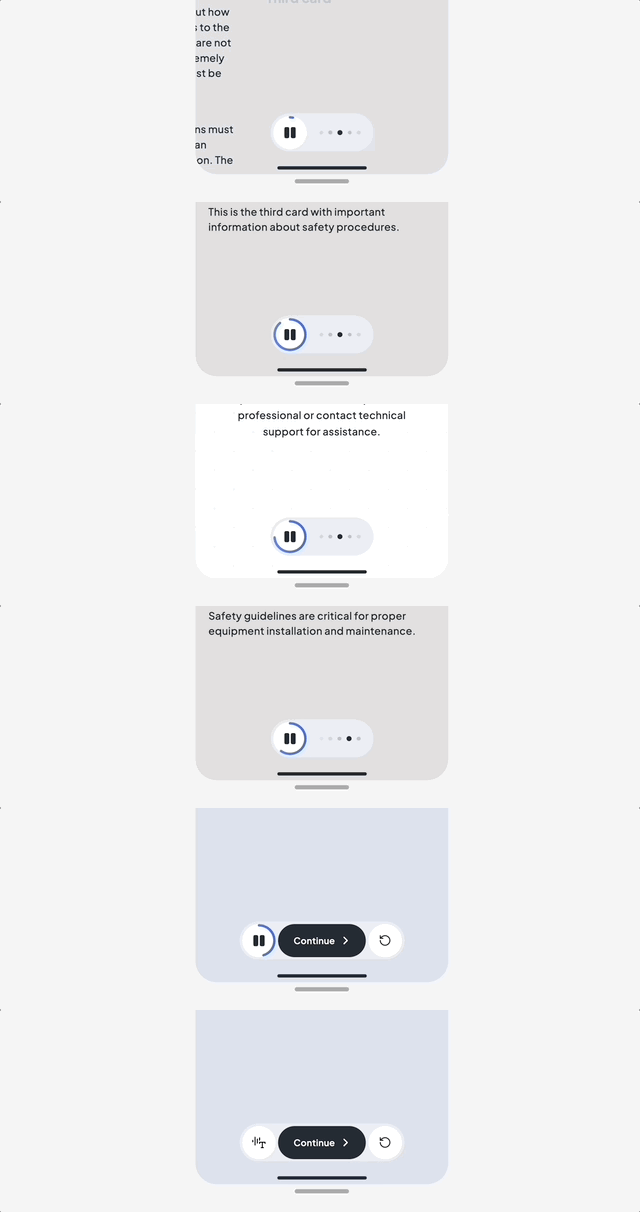
Plus, there’s a new bottom navigation element that includes the updated Narration Player.
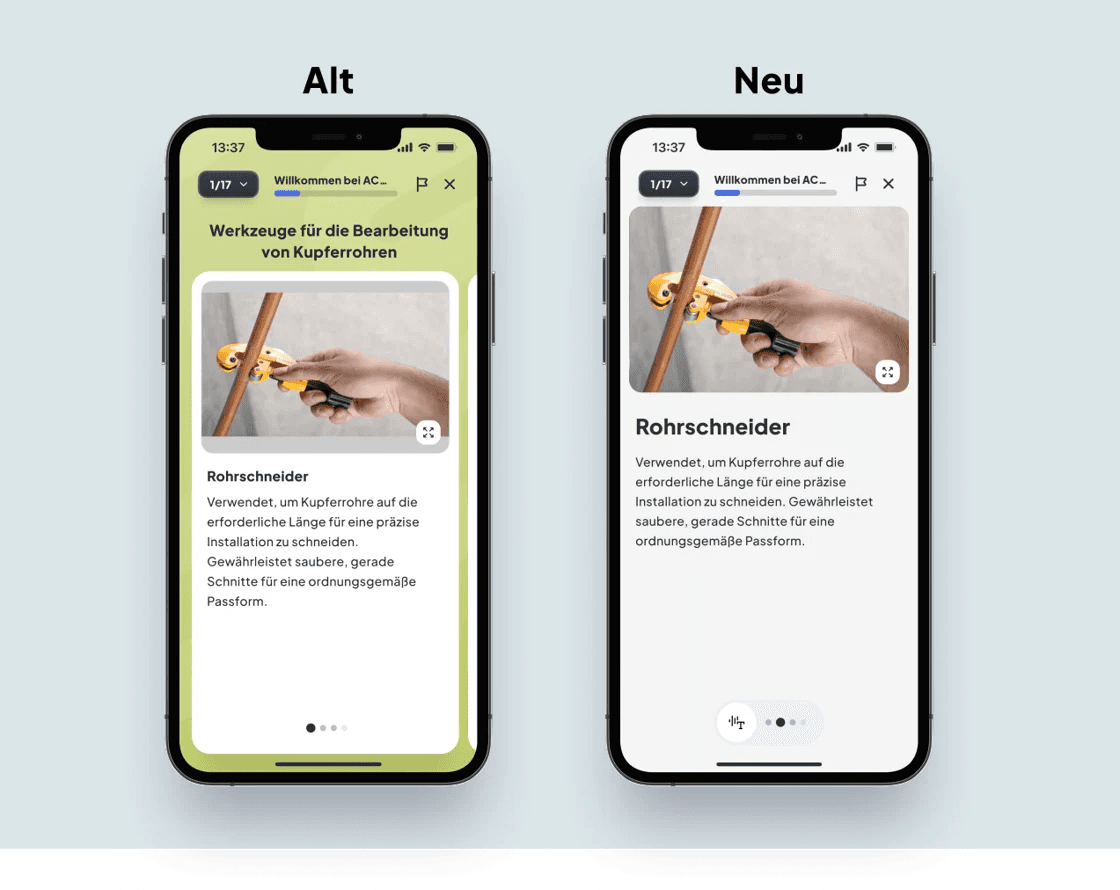
There is also a new navigation element that contains the new Narration Player:

🏷️ New: The title card
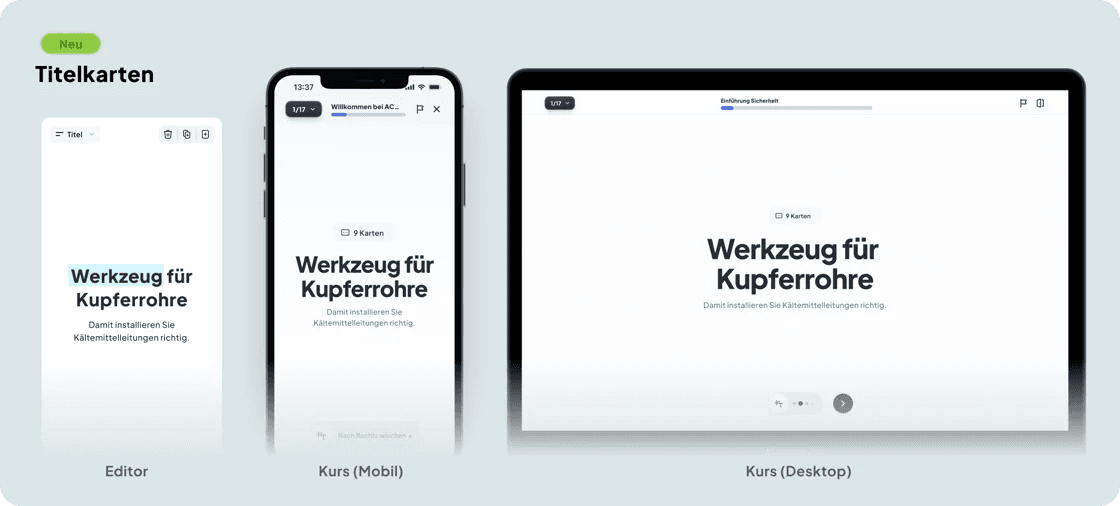
Instead of showing the title above the card series, there is now a dedicated Title Card. Here you can add:
a title
and, for the first time, a subtitle
This gives every learning path a clean, clear, and visually appealing introduction – and leaves more space for content on all following cards.
🖼️ New design: Image + text card
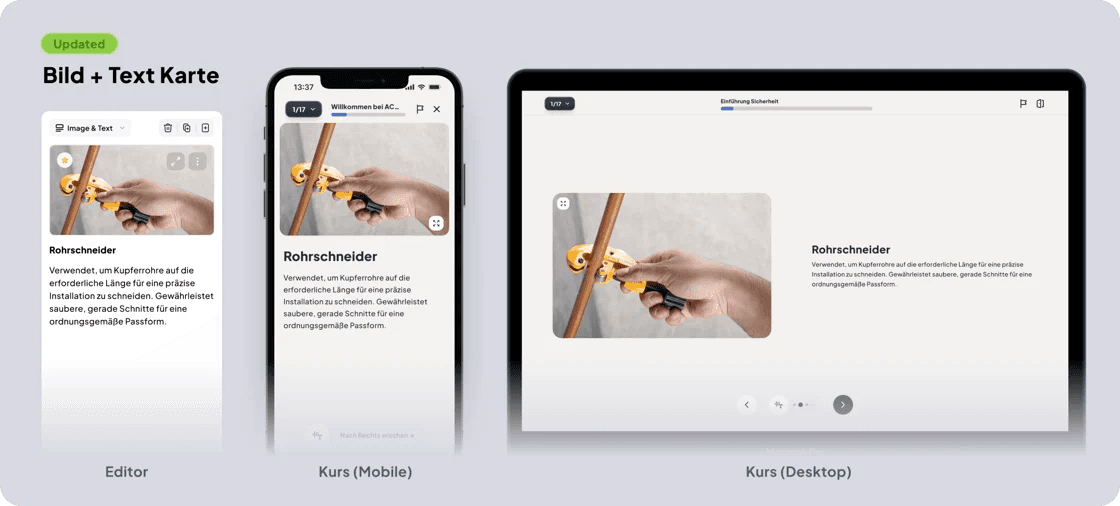
Our redesigned image-text card comes with several improvements:
automatic background color adaptation
full-size images without cropping
flexible text alignment (left, center, right)
automatic centering for text-only cards
The result: calmer, clearer, and easier to consume.
What should we write about next?
We're always looking to cover the topics you care about most. Help shape our next issue!
Take a moment to vote and suggest what you'd love to read next:
🆕 New Card: Fullscreen Image Card with Caption & Narration
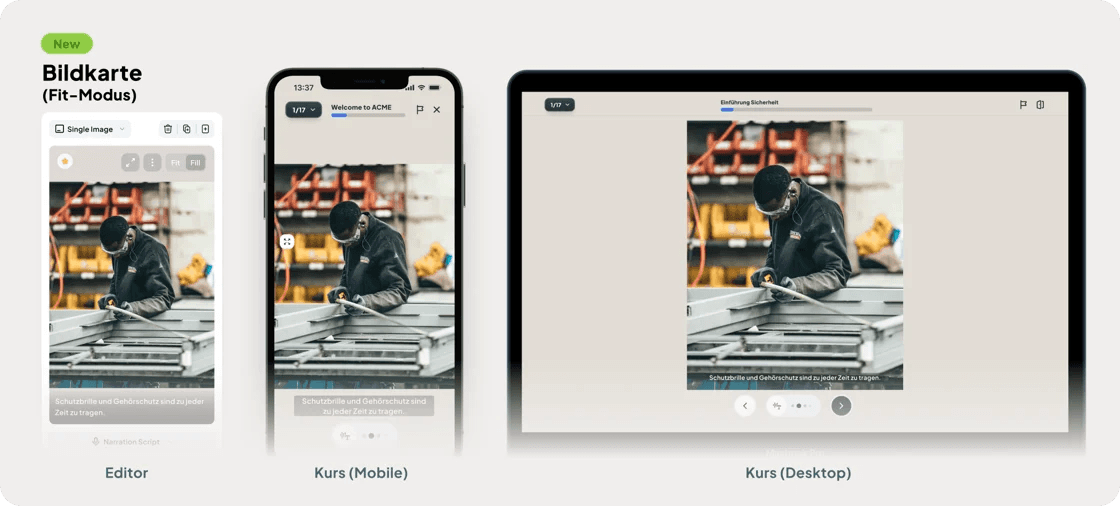
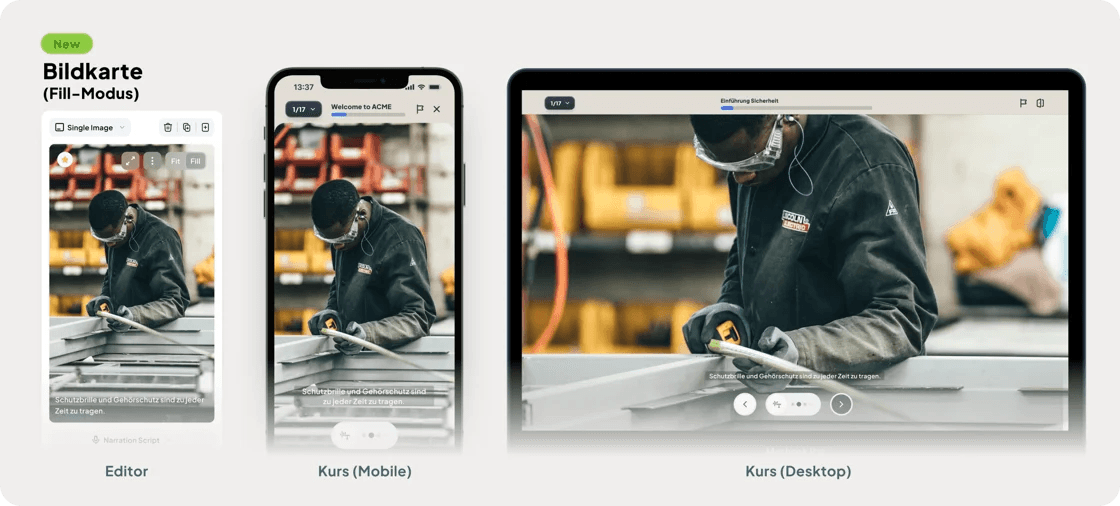
The new image card lets you present visuals without any surrounding UI — large, clean, and distraction-free. Perfect for slides, process steps, safety visuals, or emotional imagery.
Two display modes are available:
Fit → shows the full image
Fill → image covers the entire screen
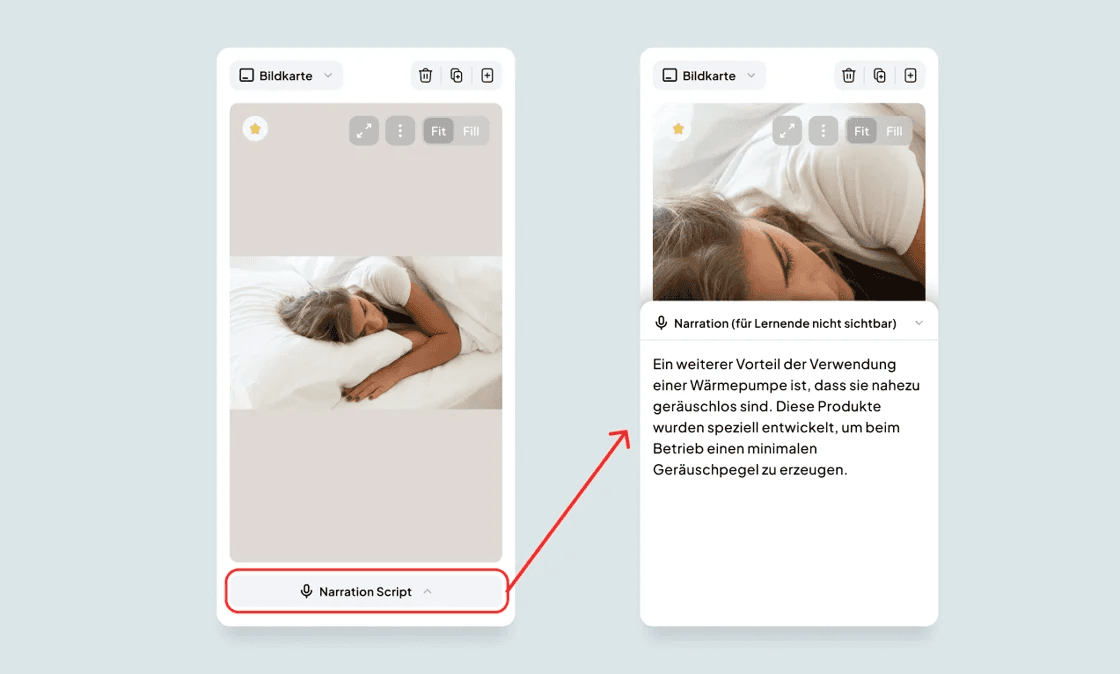
There is also a field in the editor where you can add a narration script. This text can then be played by the learner while the image is displayed. For example, you can add audio narration to screenshots of powerpoint slides.
🎧 New: Navigation with Narration Player (Not for EU-Only customers)
The new Narration Player is now available everywhere - for both pages and cards. What it can do:
🎙️ Automatically reads out the text on the card or page
🔄 Swipes cards automatically while the narration is playing.
Important: Narration is only available for non EU-only customers, we are working on releasing it for all customers soon.