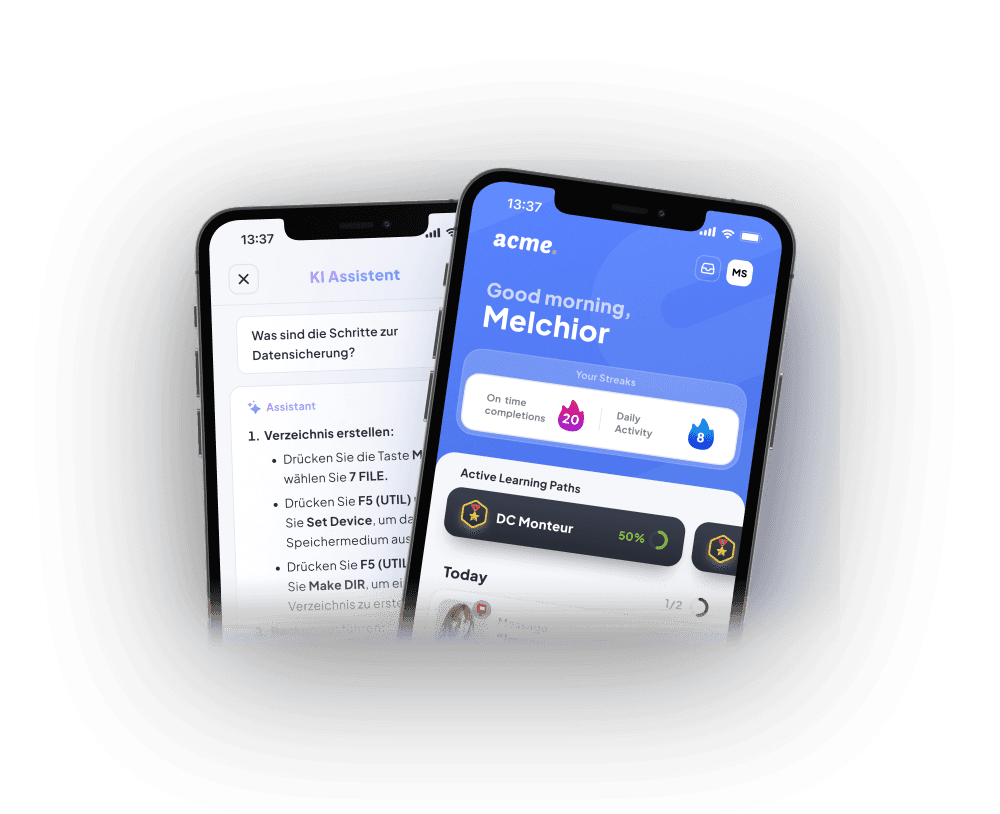














Knowledge in → Courses out.
With our Authoring Tool

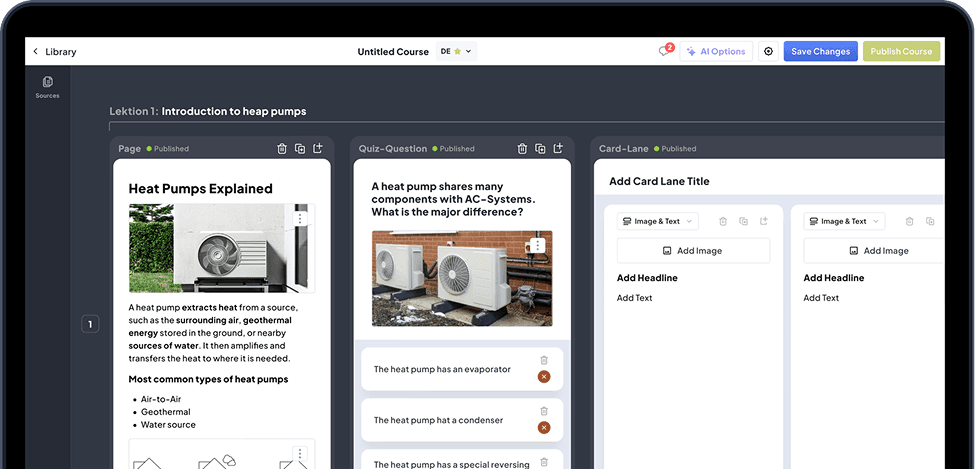
Use our AI-powered authoring tool to create interactive e-learning courses from documents, videos, and presentations: conversation-based with Ellie, in 105+ languages, with pre-built module types, voice-overs, and public link sharing.

100+ companies trust Elephant

Jacob Cement
KlarSolar
Schmidbauer
Würth
Daimler Truck
Dekra

What our customers achieve with the AI Coursebuilder:

faster course creation
5x
lower translation costs
95%
less effort
80%

Creating a course with our authoring tool is this easy

Ellie answers questions about your company's online training courses directly from your existing sources. With AI Actions that trigger processes. And if the source changes, Ellie adapts accordingly—completely automatically.

EllieYour virtual content creator

Create & edit content together with Ellie

Conversation-based course creation via chat. Select an element, perform an action: Ellie writes, translates, simplifies, and creates new modules directly in the editor. This allows existing learning content to be revised in a targeted manner and adapted for different target audiences.

Du
Create two thumbnails from the attached images for me
Ellie
Hi Max, I'm creating two thumbnails for you now
Thumbnail wird generiertThumbnail erstellt

Courses from videos, documents, presentations, and more.

Multi-source import: PDF, DOCX, PPTX, HTML, MP4, MOV, and websites. Presentations are imported as image cards. Existing company content serves directly as the basis for new online training courses.

Use AI actions inside the editor.

AI image generation, brainstorming mode, assessment generation, and automatic structuring—all directly from the editor action. This way, the authoring tool also helps you with the instructional design of your courses.

Update courses automatically.

If the source document changes, Ellie automatically updates the derived courses. No manual updates are required. Your company's online training courses remain up to date with the source.

Generate Voice-Over.

Text-to-speech in the course language, narration player with auto-swipe. This lets you add audio directly to your online training courses—without a separate voice recording.

Easily edit content and media in the authoring tool

Rich-text editing directly in the editor.

Inline editing with formatting, lists, and more. In the authoring tool, you can structure and customize e-learning content directly within the course.

Stock library with AI suggestions.

Integrated image libraries with context-based suggestions from Freepik, Pexels, and Giphy. You can find visuals that match your learning content right in the editor.

Edit images with Ellie via prompt.

Change the background, remove elements, customize the style. Ellie handles it all based on your instructions. Crop, rotate, and add comments right in the editor.

Trim videos directly in the Coursebuilder.

Cut, trim, and remove segments. Right in the editor—no external tools needed. Upload or embed on YouTube, plus AI translation and dubbing in over 105 languages.

Not just slides.
Real Interactions

Cards

Microlearning cards with images and narration.

Page

Scrollable pages for longer content.

Hotspot

Tappable points on photos and technical drawings.

Video

YouTube, upload or AI-translated videos.

Multiple Choice

Randomised, with images and explanations.

True/False

Swipe-based, fast, intuitive.

Image Picker

Pick an image instead of typing an answer.

Sorting

Drag & drop into the correct order.

Collaborate effortlessly with our Authoring Tool

Collaborate in real time.

Multiple authors can work on the same course at the same time. Auto-save, version history, draft and published modes. Changes remain traceable, and teams always work with the most up-to-date version.

Collect feedback from learners.

Module feedback from the app is sent directly to the relevant module in the editor, categorized. This makes it immediately clear where content should be adjusted or improved.

Alles in jede AA天 Sprache übersetzen

105+ languages with a built-in glossary.

One-click translation with a review and approval workflow. A glossary ensures consistent technical terms for international online training courses.

Sync videos across every language.

AI video translation with dubbing. Lip-syncing included. Ideal for multilingual e-learning content.

Share courses anywhere in a click

Export courses via xAPI or SCORM directly from the authoring tool to your existing LMS, or share them with clients and partners via a public link—without requiring learners to create additional accounts.

SCORM & xAPI Exports.

Simply export courses as multilingual SCORM files or via xAPI and deploy them in other LMS platforms.

Simply share courses via a Link.

Share courses with large audiences via a single-click link. Accessible without login, e.g. via QR code.

€1,800/ year

for the platform. Includes 1 Content Creator. Add an additional Content Creator for only €540/year.

Selected features:

  • AI-generated courses, assessments & knowledge checks
  • AI-powered translation in 105+ languages
  • Ellie — your virtual Content Creator
  • SCORM, Dynamic SCORM & xAPI

AI-Coursebuilder

Turn boring documents into fun training with AI. Plus: empower everyone in your organisation to create engaging content.


Coming Soon in the Authoringtool

A Look into the Future: Features in Development

Smart glasses & POV recordings.

Capture insights directly from the workflow, without a camera crew.

Podcast Generator.

Course content as audio episodes for on the go.

Start now. No sales process.

The AI Course Builder is also available standalone. For anyone who wants to turn knowledge into training. Need more later? Elephant grows with you.

Frequently Asked Questions About Our E-Learning Authoring Tool

Ready? Your team isn't waiting.

  • Productive in days, not months
  • Can be managed without pedagogical knowledge
  • Available in 105 languages
Elephant App — KI Assistent und Good morning, Melchior