




























Processes and Workflowsdigitize in the blink of an eye

With just a few clicks, you can turn user manuals, paper forms, and videos into step-by-step guides for tablets and smartphones. This allows you to standardize your processes and boost your teams’ productivity and quality.

100+ companies trust Elephant

Jacob Cement
KlarSolar
Schmidbauer
Würth
Daimler Truck
Dekra
documented more quickly than with Word and a camera
8x
shorter training period for new employees
60 %
fewer errors during execution
80 %

A simple editor with AI superpowers

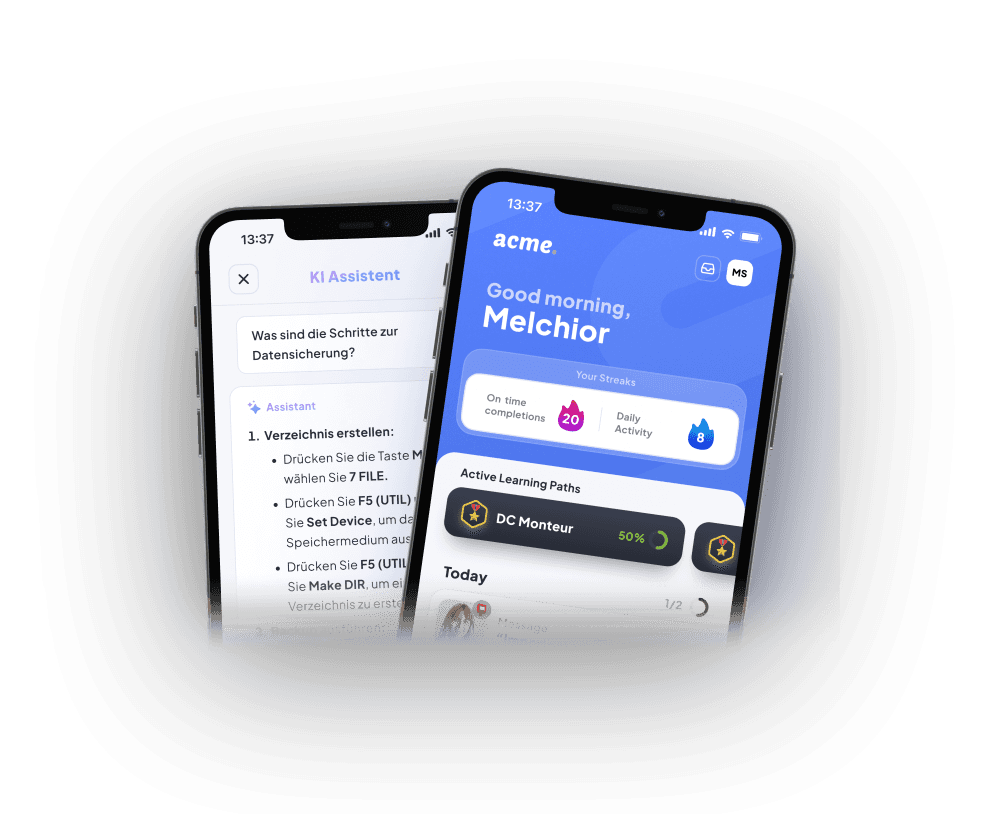
Upload any existing documents or describe the process in your own words. Our AI agent, Ellie, will turn that into a step-by-step guide with images, warnings, and checkpoints.

From PDF, Word, and video.

Upload an instruction manual, an old form, or a video from your workplace. Ellie identifies the steps, extracts the images, and cuts the appropriate video clip for each step.

Collaborate with Ellie, our AI agent.

Select a step and simply write in natural language what you want to change. Ellie will take care of it for you.

Over 30 building blocks via drag-and-drop.

Text, images, videos, warnings, and tables for the instructions. Checkboxes, measurements, photos, and signatures for the documentation. You drag each building block to where it belongs.

Generate and Edit Images.

Arrows, circles, numbers, and text directly on the photo. Cropping and rotating are included.

Create, edit, and trim videos.

Split long recordings into short clips and give each step its own segment. On your phone, the video will start exactly at the right spot.

Flexible logic functions so you can map out any process

Instead of ten nearly identical documents, you maintain a single set of work instructions. Everyone sees only the steps that apply to their machine, their location, or their job.

If-Then Rules.

“If the knife has nicks, proceed to step 3.2.” These rules apply to every input field. The flowchart shows you all the possible paths at a glance.

Variations by machine, location, or person.

Before starting, the employee selects or scans the equipment. The instructions then display the appropriate steps and threshold values.

Recurring Steps.

You set up steps that repeat once, for example, for each tool or station. The number is determined by a field or a QR code.

Available on any device, even without logging in

Employees open the work order directly at the machine. Temporary workers, partner companies, and external personnel do not need an account to do so.

Smartphone, Tablet, and Desktop.

The instructions adjust to fit the screen—whether you're using the Elephant app for iOS and Android or viewing them in a browser.

QR code on the machine.

Print, stick it on, scan. The code opens the correct instructions and automatically enters the attachment.

Export in Your Layout.

As a PDF, Word, or PowerPoint file, with your logo and template. For the folder at the production line or for the next audit.

In every language your team speaks

One click translates the entire set of instructions, including images and videos. Your glossary ensures that technical terms are accurate.

Over 105 languages.

Translate the entire instruction with a single click. Employees select their language directly in the app.

With your glossary.

Technical terms and internal designations remain as you use them.

Locate Images.

Text and markings in images are also translated.

Add audio to videos.

AI voiceovers and subtitles in any language, without the need for new recordings.

Approved, versioned, traceable

During audits and certifications, you need to show who changed and approved what and when. Elephant automatically keeps track of this.

Dual-Review Approval.

For each work instruction, specify who edits it and who approves it. Changes go live only after approval.

Comments.

Discuss directly as you go. Open items are assigned and completed.

Together in Real Time.

Several people work on an instruction at the same time and can see who is where at any given moment.

Versions.

Every published version is preserved. You can see the differences and restore any version with a single click.

Exam Dates.

Every task has an assigned person and a review date. When it's due, a reminder is sent. That way, nothing falls by the wayside unnoticed.

Part of the Elephant platform

Work instructions, training, and knowledge are all interconnected. At Elephant, they're all in one place, with an app for your team.

What Teams use Elephant for

  • Installation

    Step-by-step instructions with images and torque specifications for each product variant.

  • Maintenance & Repair

    Maintenance schedules in the form of a checklist with measurement values and a log.

  • Setup & Changeover

    Format changes in the correct order, with checkpoints.

  • Quality Control

    Record inspection criteria, upload photos as proof, and immediately identify any discrepancies.

  • On-site installation

    On-site installation and commissioning, including by partner companies.

  • Cleaning & Hygiene

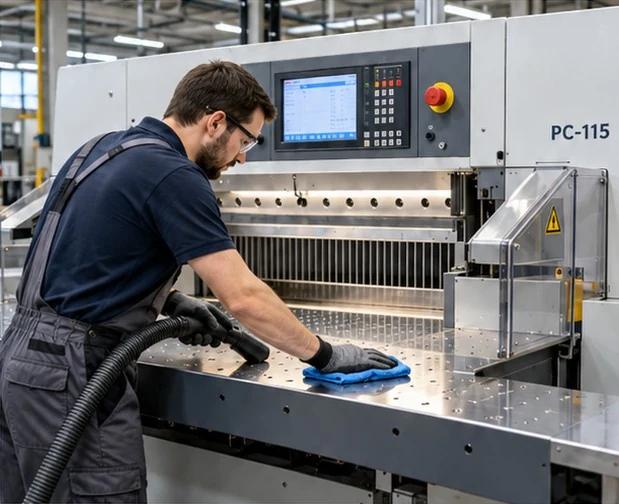
    Daily checklists requiring a signature, for HACCP and audits.

  • Orientation

    New employees work according to standard procedures from day one.

  • Workplace Safety

    Lockout, Secure, Check. Warning labels that no one can miss.

What customers say about Elephant

“With Elephant we make sure that installations at 1KOMMA5° always meet the highest quality standards. We can train new products and processes quickly and efficiently — and thanks to the chatbot, our teams get the answers they need at any time.”
Christoph RohmerVP Installation & Quality Management · 1KOMMA5°

Security & Compliance from and for the DACH Region

  • TÜV SÜD ISO 27001 certifiedISO 27001 TÜV SÜD
  • GDPR-compliantGDPR-Compliant
  • AI Act complianceAI Act Compliance
  • Made in GermanyMade in Germany

Frequently asked questions

Eine Arbeitsanweisung beschreibt Schritt für Schritt, wie eine Aufgabe ausgeführt wird. Digital heißt: Sie läuft auf Tablet oder Smartphone, enthält Bilder und Videos, führt durch die Schritte und kann Eingaben erfassen, zum Beispiel Messwerte, Fotos oder Unterschriften.

Probier es mit deiner eigenen Anleitung.

Lade ein PDF hoch und sieh in wenigen Minuten, was Ellie daraus macht.

Elephant App — KI Assistent und Good morning, Melchior