The Assistant no longer just answers questions – it takes your employees straight to the next step with a single tap.
🔘 Custom action buttons: From chat straight to the right tool.
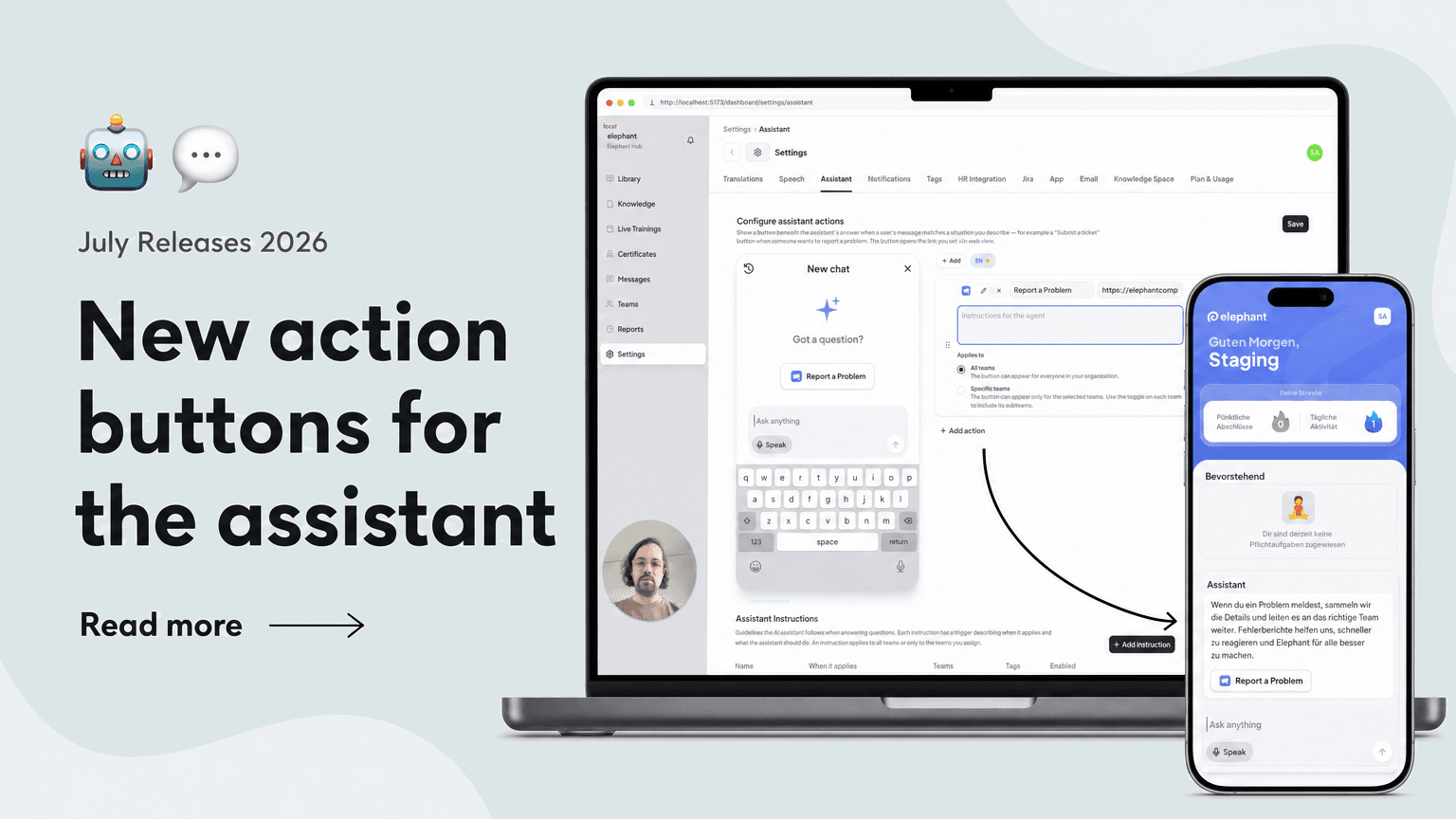
In Settings → Assistant, you can now create configurable link buttons that appear right inside the Assistant chat. Setup includes:
- Icon, title, and URL per button – link your ticket portal, forms, or intranet pages
- An instruction describing when the button should appear – e.g. "when a coffee machine is broken"
- As many buttons per Assistant as you like
- No integration work – a single link connects your existing tools to the Assistant
Ideal for triggering incident reports, requests, or other frequent tasks directly from the chat.
🎯 Targeted display: The right button at the right time.
The Assistant shows the buttons exactly where they are needed:
- In every new chat as a suggestion and beneath matching answers whenever a message fits the described situation
- Automatic translation of button titles into each user's language – the instruction itself stays internal and is never shown to users
- Team and subteam scoping: each button applies to all teams or only specific ones
- A single tap opens the linked page directly in the app
This way, employees in multilingual teams and across locations always reach exactly the tools that are relevant to them.